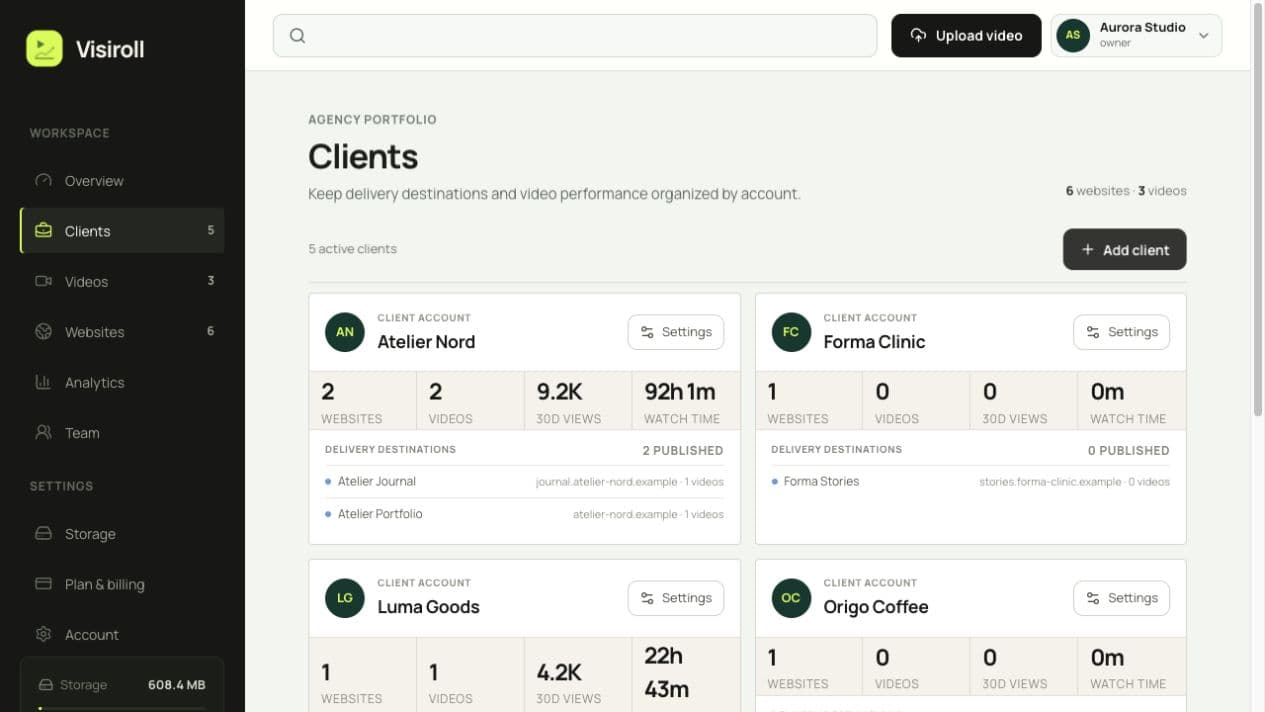
Keep each account, its destinations, videos, and results organized in a distinct client context.
VIDEO HOSTING FOR AGENCIES
Manage all your client videos in one place.
Give every client and website a clear place in one agency workspace. Publish securely, measure performance in context, and invite the people who help deliver the work.
ONE WORKSPACE, CLEAR BOUNDARIES
Everything an agency needs
without the clutter.
Organize delivery around the way your agency already works: by client, website, video, and team.
Give every website its own domains, player branding, publication settings, and performance view.
Restrict playback to approved domains and publish with one responsive iframe that is ready to copy.
Filter qualified views, watch time, completion, and retention by client, website, video, and date.
Invite owners, admins, and viewers so colleagues can work in the same agency workspace with the right role.
Start free, then choose clear allowances for clients, websites, videos, storage, bandwidth, and team members.
A PRACTICAL CAMPAIGN HANDOFF
From the first brief
to the next report.
For a product campaign with a main site and a microsite, use one client record, two website destinations, and one uploaded video.
Follow the upload workflowSet up the destinations
Add the client and its websites. Configure the domains where each embed is allowed to play. All their subdomains are included automatically.
Upload and apply the player style
Upload once, select the websites, and apply a saved preset for controls, colors, title, and playback options. Check the preview and save the player before copying the embed.
Hand the embed to the site team
Paste the responsive iframe into a page that accepts custom HTML. Test it on each approved domain, including mobile. No WordPress or Webflow plugin is required for the iframe workflow.
Compare attention after publishing
Use qualified views and watch time to compare destinations. On paid plans, inspect retention and export the client’s report. A player load is not automatically a qualified view.
TEAM ACCESS, EXPLAINED
Organize by client.
Share with care.
Owner, Admin, and Viewer roles govern workspace access. Client grouping organizes publishing and reporting; it is not a separate client-login permission boundary. Share an exported report when a client should not see the rest of your workspace.
Choose capacity for the whole portfolio
- Studio · €29/month, billed annually
- 5 clients, 10 websites, 50 videos, and 5 team members. Full analytics and a white-label player are included.
- Agency · €89/month, billed annually
- 25 clients, 50 websites, and 250 videos, with unlimited team members. Check storage and bandwidth as well as video count.
Prices exclude VAT. Maximum upload: 500 MB and 20 minutes. Storage includes generated renditions, not just the source.
TRY ONE CLIENT WEBSITE
Start with the next real campaign.
Free includes 2 videos and one website. Test publishing and core analytics before choosing a paid plan for the wider portfolio.
Create a free workspace